

Sell every date and every entry time,on your own website
Visitors pick a day, an experience, an entry time and their tickets on your site, and land on TIXR checkout with the cart already filled. Events, prices, artwork and availability come from your TIXR account and stay in sync on their own.
Built by Pixl Events with TIXR's team for attraction clients, and first demonstrated on a season of 169 dates with 22 ticket types each.
Pick the experience
Your customers do not start with which event. They start with which day, and what time.
An attraction runs the same experience on dozens or hundreds of dates, often with several entry times a night and a mix of adult, child, VIP and group tickets. Your ticketing platform models each date as its own event, which is right for inventory and wrong for a visitor facing a long list of near-identical pages on a phone. Marketing sends traffic to a website that cannot sell a date, only link out to the list.
Pick a day. Pick a time. Checkout on TIXR.
Scroll to book a visit the way your customers will: the calendar shows only the days on sale, each step collapses into a summary bar as it is chosen, and the cart lands on TIXR with exactly what was picked.
Illustrative attraction; the real captures follow
17 dates available
Choose from the calendar on the left
 CheckoutCart filled
Payment, fees, delivery and entry stay on TIXR. Pixl Attractions never holds a ticket or a card.
The same steps, as the widget renders them
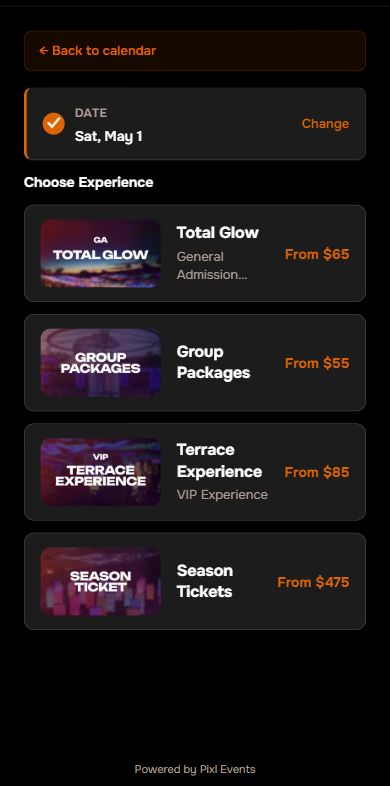
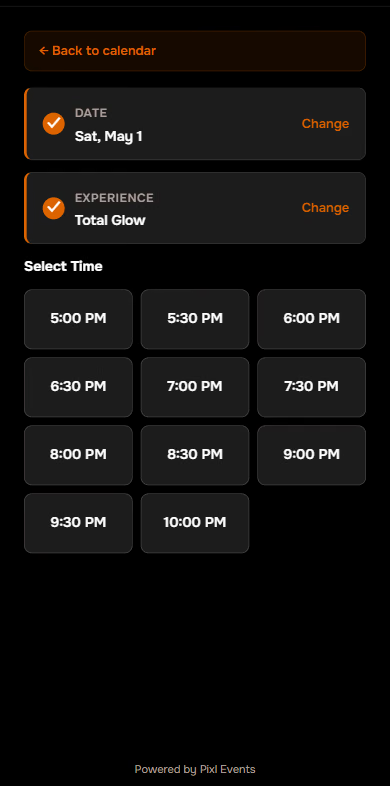
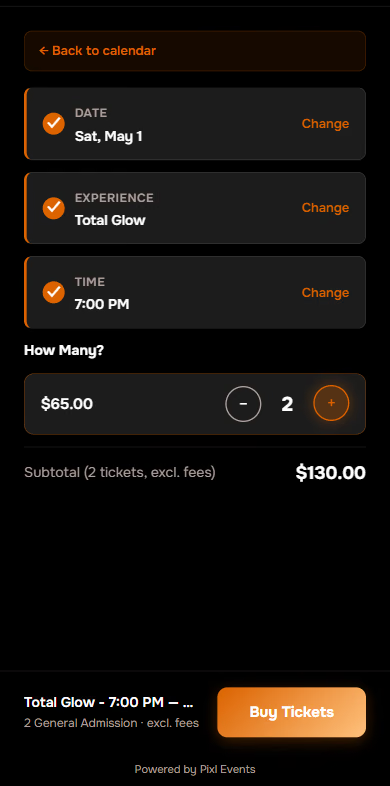
Captured from the public demo: the experience cards with TIXR artwork and From prices, the entry-time grid, and the quantity step with the Buy Tickets footer. The walkthrough above is a rebuild of these screens, not a mock-up.
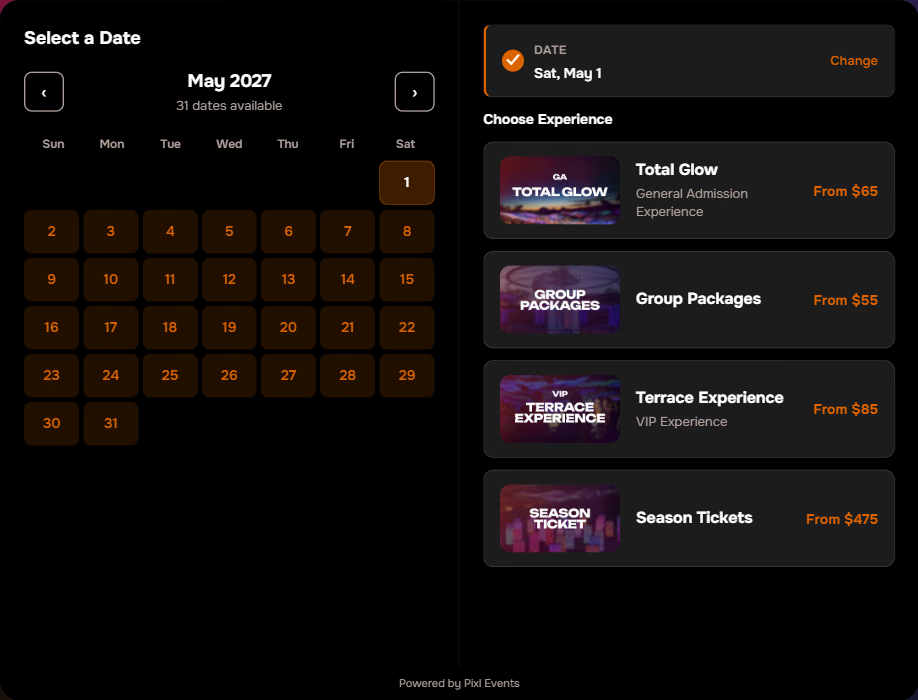
The chosen date collapses to a summary bar with Change. Experience cards take their images and From prices from TIXR's collection data.
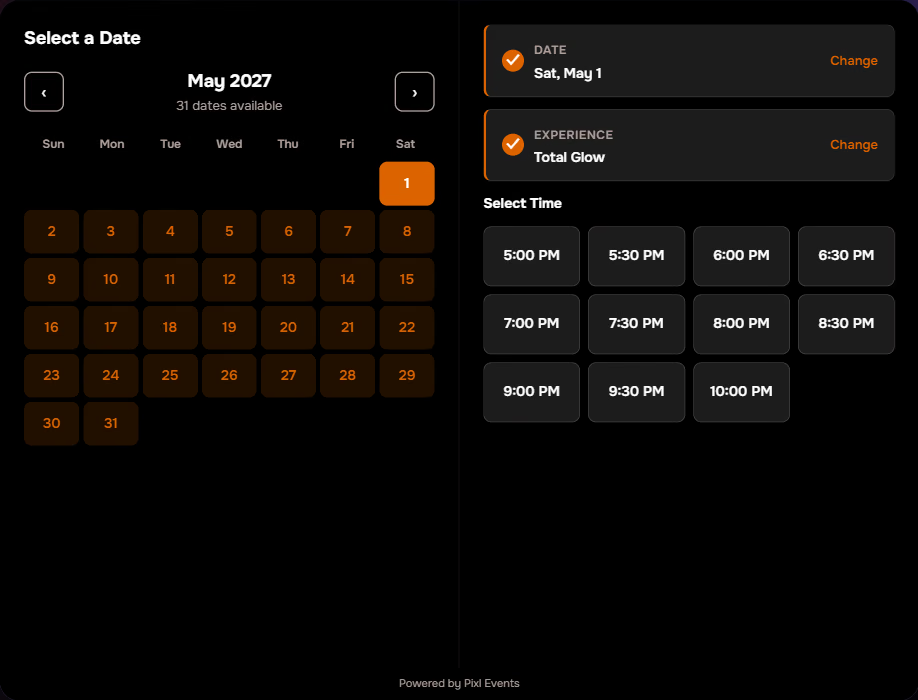
Eleven entry times as a grid, 5:00 PM to 10:00 PM, with sold-out and waitlist states when TIXR reports them.
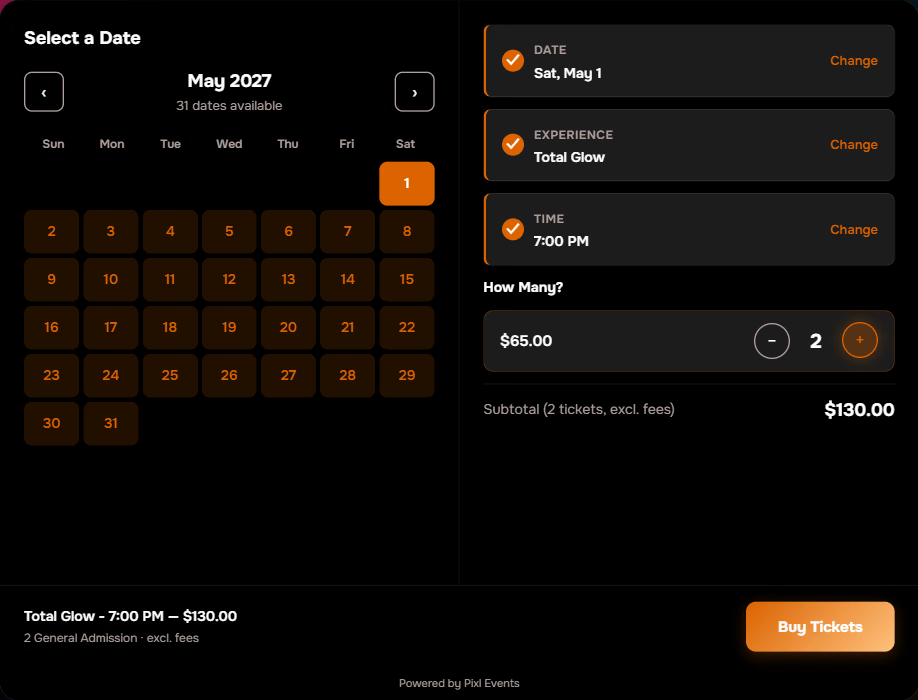
Two tickets chosen, the subtotal excluding fees, and the Buy Tickets footer. The next click is TIXR checkout with these items in the cart.

Built for the way attractions sell
Many dates. Many entry times. Adult, child, VIP and group tickets in one order. A visitor who arrives from an ad or a search result sees at a glance which days are open, picks a day and a time in a few taps, and reaches TIXR checkout with the right tickets in the cart.
Two adults, three kids, one grandparent
Quantities are set per ticket type on one screen, and every quantity starts at zero: the widget never adds a ticket the visitor did not ask for, and there is no Buy Tickets button until they do. Group packages carry their own minimum, pre-filled so nobody gets it wrong.
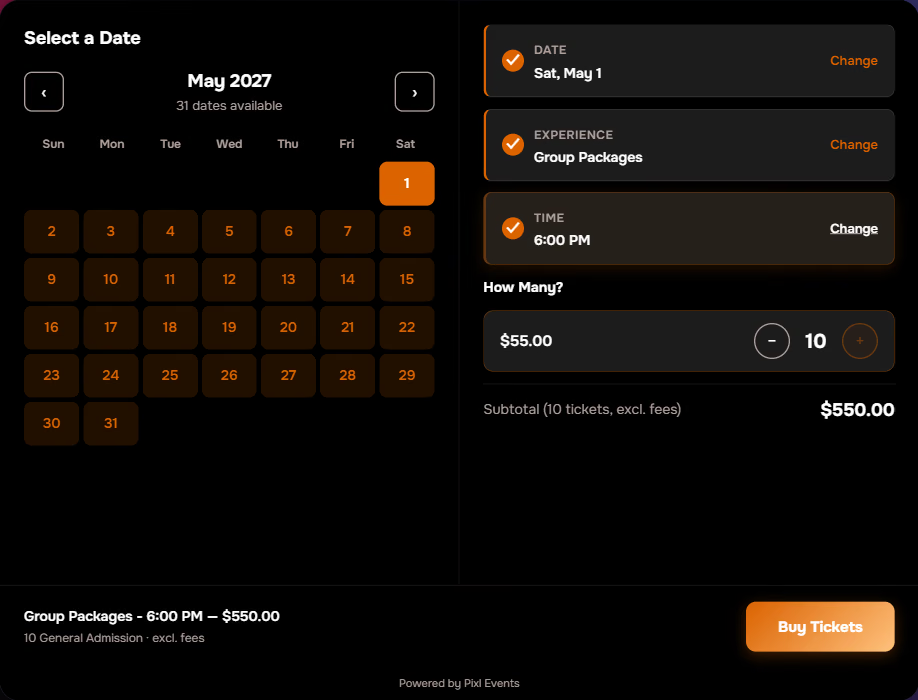
The per-collection minimum at work in the public demo: ten tickets pre-filled, $550 subtotal.
Nothing in the cart the visitor did not choose
Minus is disabled at zero and the Buy Tickets footer only appears once a ticket is added. What reaches TIXR is exactly what was picked.
Group rules that enforce themselves
Set a minimum on any TIXR collection and the widget disables Buy Tickets until it is met, with the quantity pre-filled to the minimum.
Reserved seating goes straight to TIXR's overlay
A tier that needs TIXR's own seat picker can skip the widget's time and quantity steps and hand the visitor to TIXR on click.
Any experience sold by the day and the hour
If people plan a visit around a date and a time, it belongs here: museums and science centres, immersive and light-art exhibits, gardens and zoos with timed entry, aquariums, observation decks, seasonal trails and rinks, guided tours, theme parks, and live rooms with several showtimes a night. The one requirement is that you sell on TIXR.
 14SAT11 entry times
Immersive and light art
Evening entry times, general and VIP tiers, seasons that run for months.
5TUETimed entryMuseums and science centres
Timed admission, members and families, school groups with minimums.
 22SUN30-minute slots
Aquariums and zoos
Capacity managed by entry window, adult and child pricing on every slot.
 8FRI10 AM tour
Guided tours
A few departures a day, small groups, private options that deep-link to TIXR.
 3THUSunset slot
Observation decks
Sunset windows that sell out first, shown as sold out the moment TIXR says so.
 20SAT90-minute sessions
Rinks and winter attractions
Sessions all day, a season that opens and closes on the calendar itself.
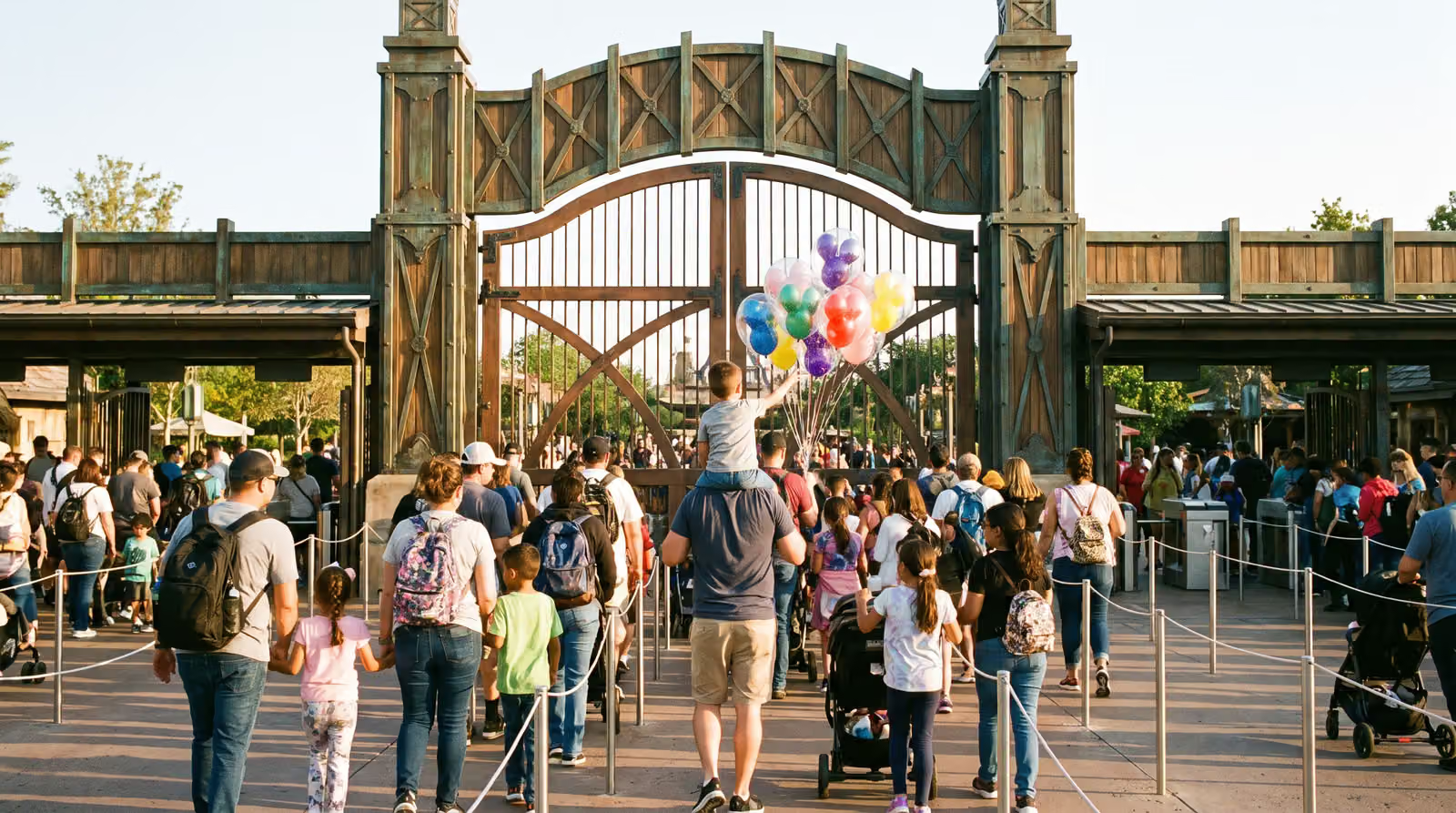 6SATGate opens 9 AM
Theme parks and family entertainment
Dated admission, family bundles and group rates.
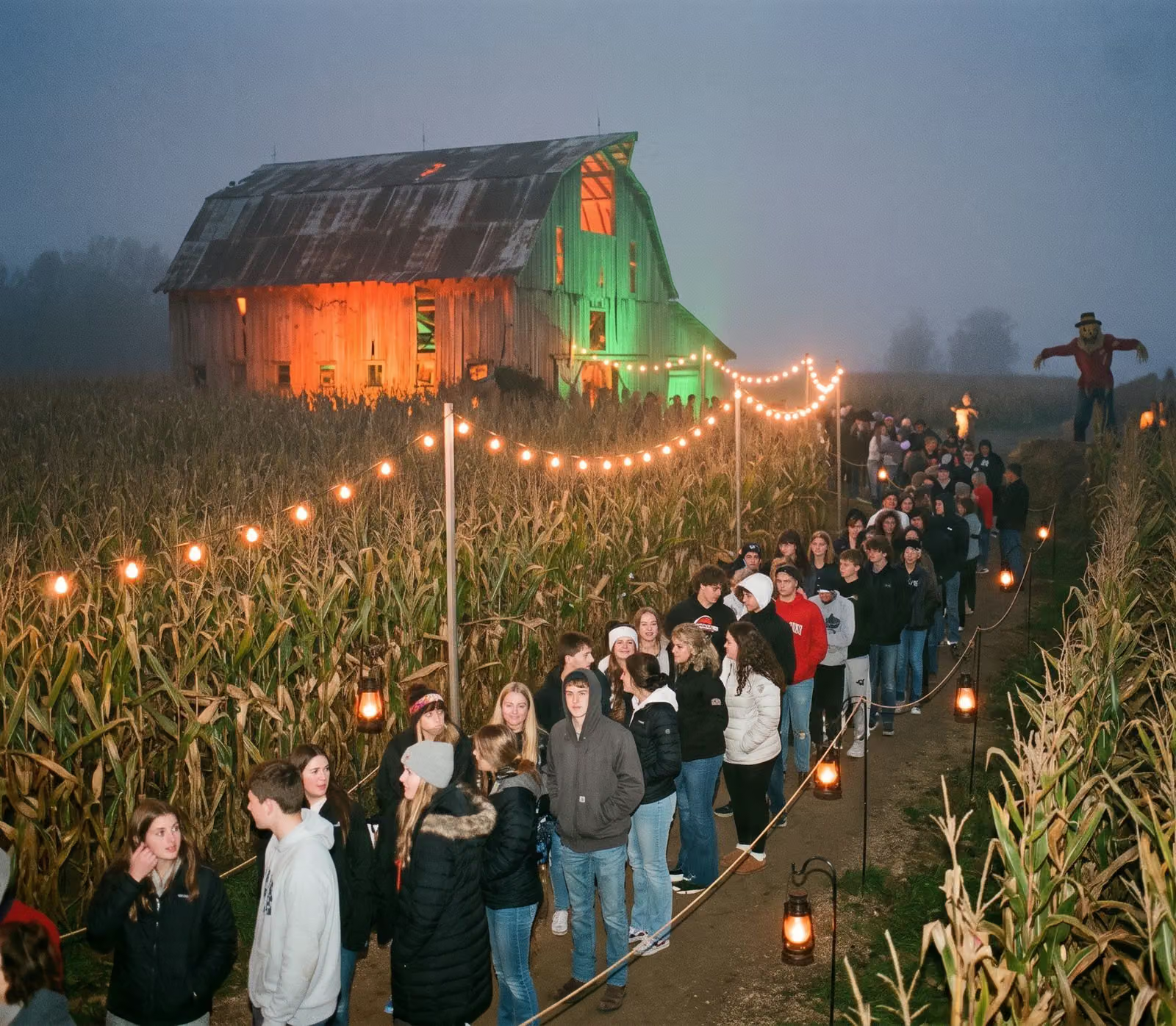 31SATTimed entry, 7 to 11 PM
Haunted and seasonal attractions
A short, intense season where every entry time matters.

Season after season, the calendar maintains itself
Events, prices, artwork and availability come straight from your TIXR account. New dates appear on their own, sold-out entry times show as sold out, and a change made in TIXR is on your site within minutes. Nobody enters an event twice.
Nothing about how you run TIXR changes
Connect with your TIXR public key and group number. Pixl Attractions validates them with TIXR, reads your events and their ticket types, and syncs every five minutes, or the moment you press Sync Now. The dashboard is where the ticketing manager decides what the widget shows.
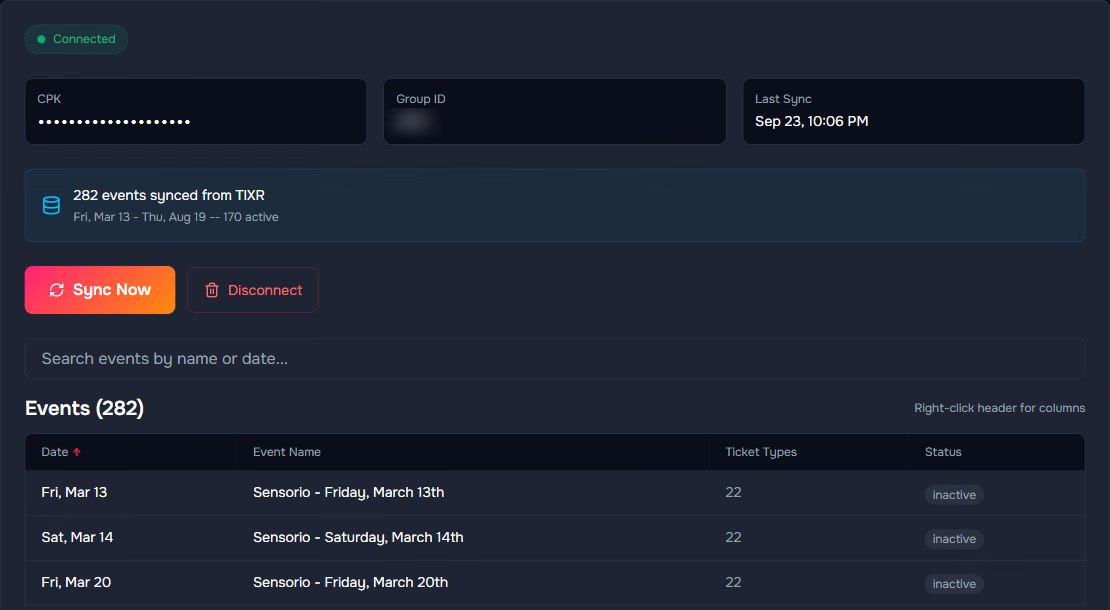
Connected, and every event synced
The connection panel, the last sync time, and every synced event with its ticket type count and status. 282 events on the live account shown here.
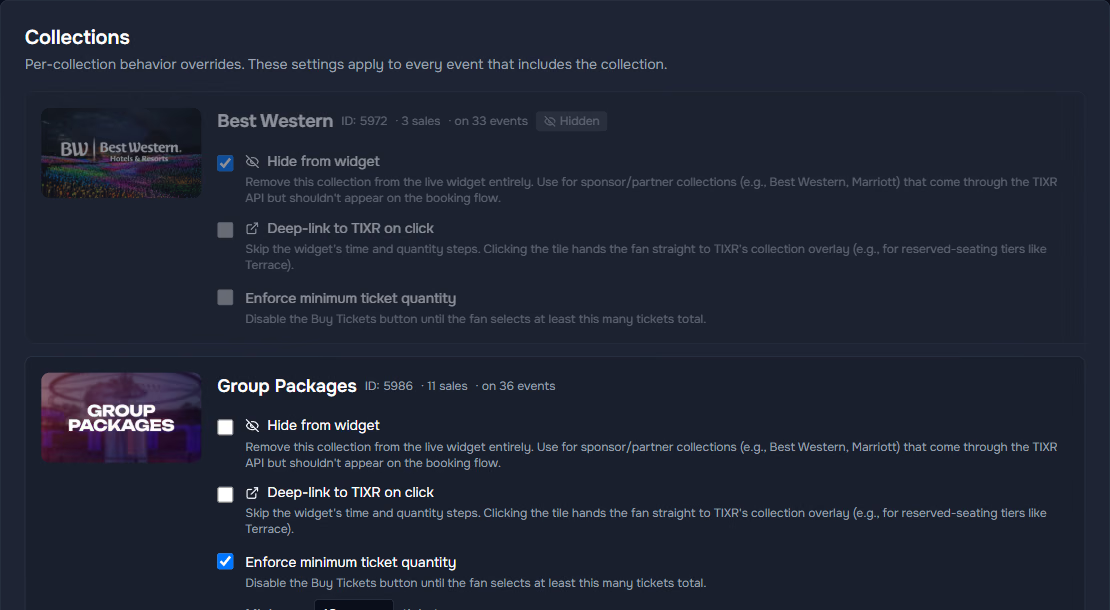
Per-collection controls
Hide a sponsor collection from the widget, deep-link a reserved-seating tier straight to TIXR, or enforce a minimum ticket quantity. Three switches per collection.
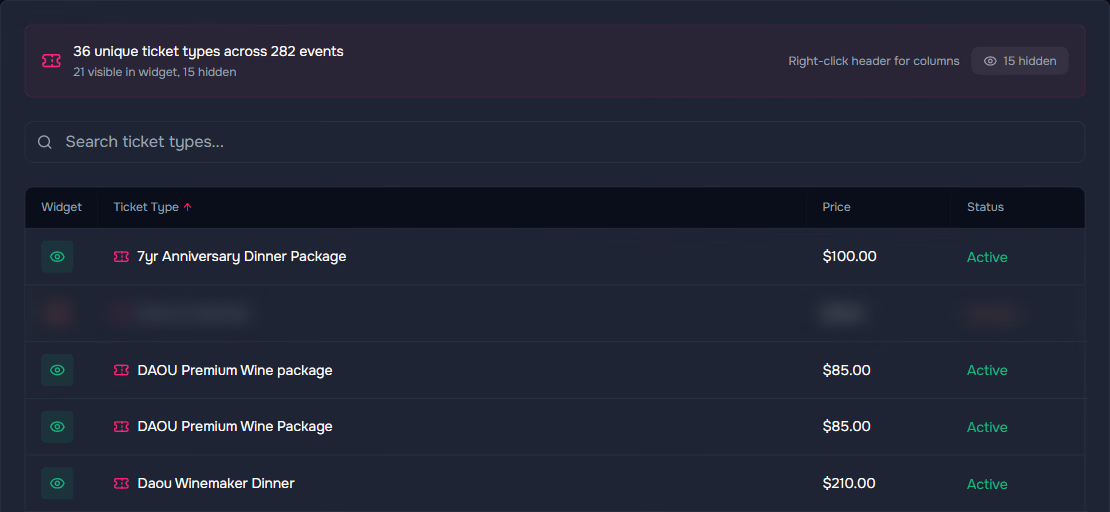
Ticket type visibility
36 ticket types across 282 events, an eye toggle on each. TIXR housekeeping items never reach the widget; the product hides them on its own.
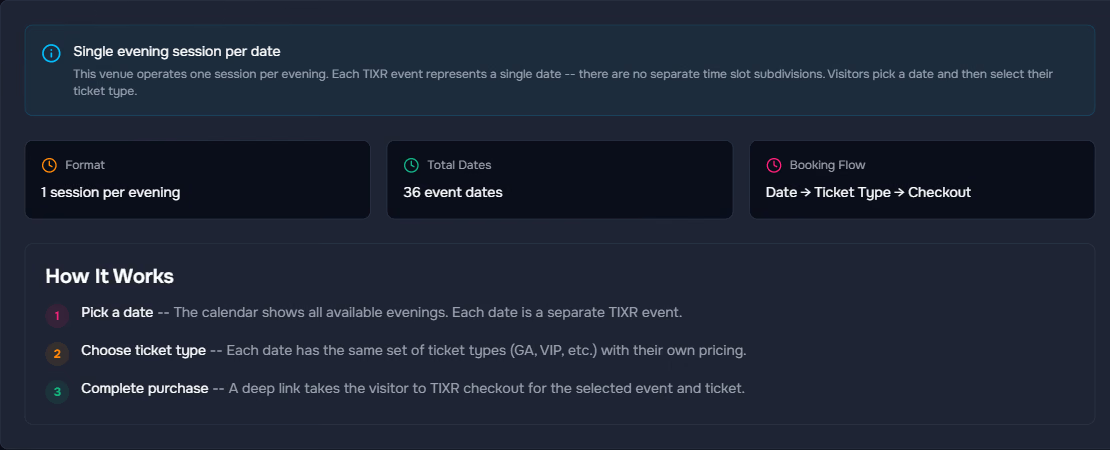
Time slots, detected
Entry times are read from your TIXR events. A venue with one session per evening gets a date-then-ticket flow instead, with no empty time step.
It looks like you and it lives on your website
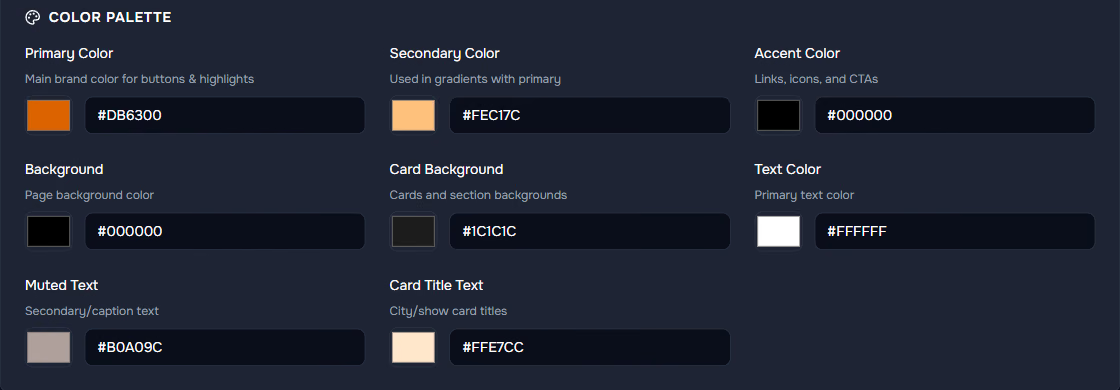
Fonts from Google or your own files, every colour and your logo are set in the theme editor with a live preview. Then one snippet on your site: a Buy Tickets button that opens the widget in a modal, or the widget inline on the page. Works on WordPress, Squarespace, Webflow or custom HTML.
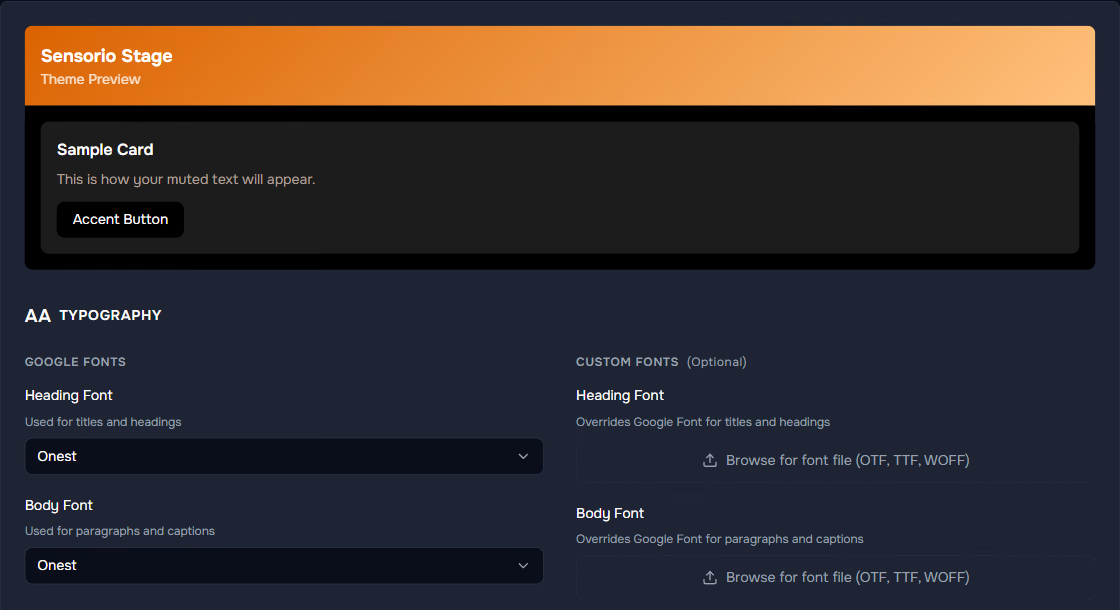
The live preview card at the top changes as you type. Heading and body fonts from Google, or upload OTF, TTF or WOFF files.
<!-- Pixl Attractions widget -->
<script
  src="https://widget.pixlattractions.com/widget.js"
  data-client="yourattraction"
  data-attraction="yourattraction"
  data-mode="modal">
</script>
<button data-pixl-buy>Buy Tickets</button>

See the whole path to checkout
Page views, sessions, conversion rate and buy clicks, then the funnel from view to date to time to tickets to Buy. Traffic by device, system and browser. When mobile visitors leave at the time step, you will know it that week, not at the end of the season.
Illustrative figures. The dashboard shows your own.
The front door. TIXR is the house.
Pixl Attractions never tries to be a ticketing platform. It presents the choices in the order people make them and hands the cart to TIXR. Inventory, payment, fees, delivery and entry stay exactly where they are today.
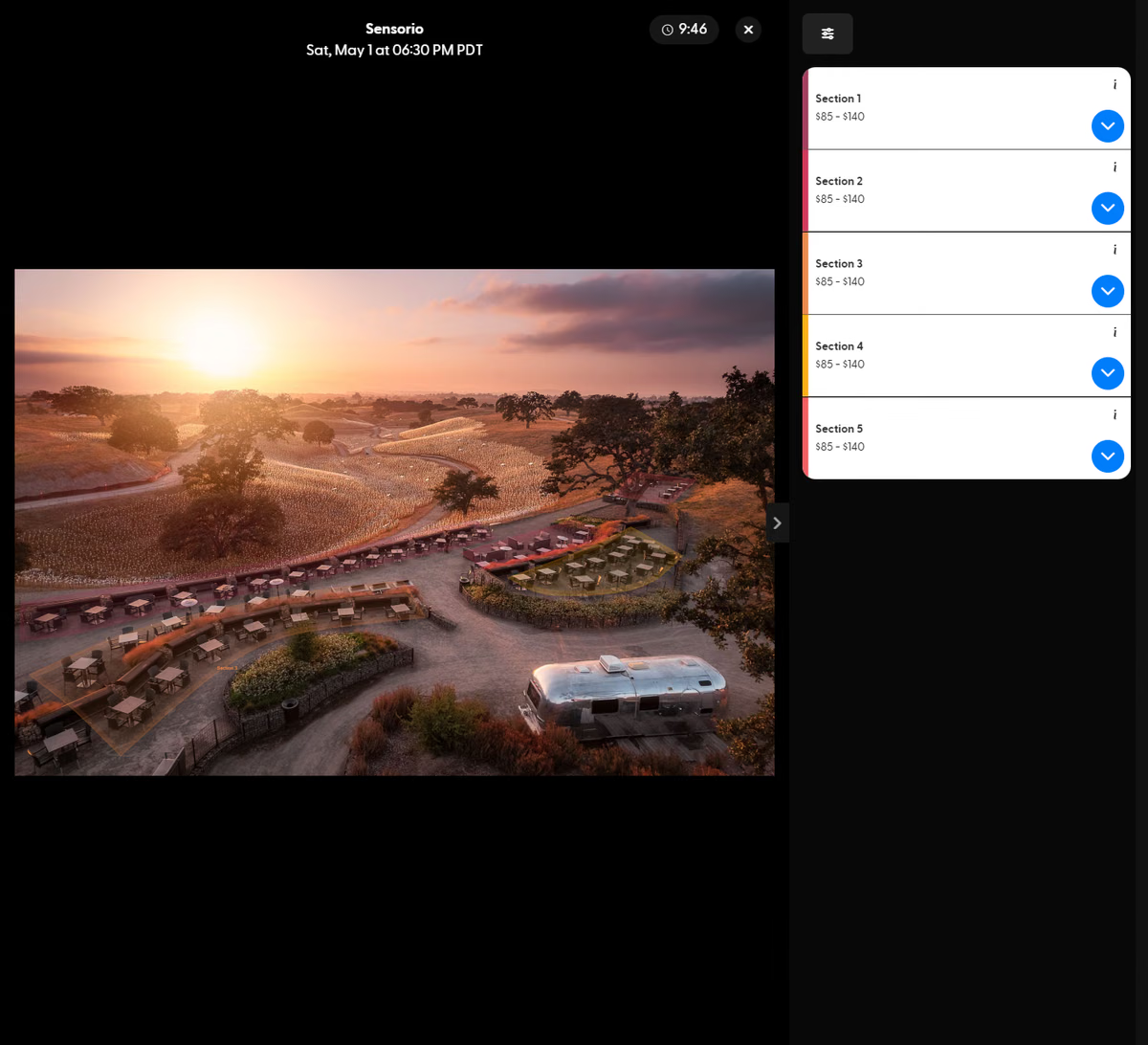
Sign-in, team and keys, handled plainly
Two-factor sign-in
Two-factor authentication with backup codes, and a password change from the account screen.
Team members
Invite the box office and marketing to the same dashboard. Each attraction is configured on its own, so a group can run several.
Keys validated with TIXR
Your TIXR public key and group number are checked against TIXR before anything syncs, and the key is masked in the dashboard.
Test before you go live
The Preview tab runs the real widget inside the dashboard, and new clients are tested on TIXR's staging environment first.

Commonly asked questions
What is Pixl Attractions?
A date-and-time ticket booking layer that sits on your own website and hands every purchase to TIXR checkout. Visitors pick a date, an experience, an entry time and their tickets on your site and land on TIXR with those exact items in the cart.
Do I need to sell on TIXR?
Yes. Pixl Attractions reads events, ticket types, prices, artwork and availability from your TIXR account and sends every purchase to TIXR checkout. There is no other supported ticketing platform.
Does it take payment or hold inventory?
No, by design. Inventory, payment, fees, delivery and entry stay on TIXR. Pixl Attractions is the front door; TIXR is the house.
What does a visitor actually do?
Click Buy Tickets on your website, pick a date from a calendar that only shows days on sale, choose an experience, choose an entry time, set adult, child or group quantities, and land on TIXR checkout with the cart already filled. Completed steps collapse into summary bars with a Change button; changing a step clears everything after it.
Where does the calendar get its dates?
From your TIXR account. Events sync automatically every five minutes and whenever you press Sync Now. New dates appear on their own and nothing is entered twice.
What happens when an entry time sells out?
The time slot grid shows it as sold out, or as a waitlist when TIXR reports one, so nobody discovers it after choosing.
Can it handle families and groups?
Yes. Adult, child and other quantities are set per ticket type on one screen, starting at zero. Group packages can enforce a minimum quantity, pre-filled so the order is right first time.
Will it match our website?
Yes. The theme editor sets fonts from Google or your own files, every colour and your logo, with a live preview. Pixl Events matches the brand during setup.
Do we need a developer?
No. One snippet goes on your site, either a Buy Tickets button that opens the widget in a modal or the widget inline on the page. It works on WordPress, Squarespace, Webflow or custom HTML.
How is it set up?
Pixl Events handles onboarding. We connect your TIXR account, match your brand, test on TIXR's staging environment, and you add the snippet. Setup takes about a day; after that the calendar maintains itself.
Can we run more than one attraction?
Yes. Each attraction is configured on its own with its own events, controls, theme, embed and analytics, so a group can run several independently.
Who is it not for?
Organizers who do not sell on TIXR and do not intend to; a single one-off event with one ticket type, which a standard TIXR event page already handles well; and anyone who wants a ticketing platform. It does not take payment, manage inventory or replace TIXR.
Is there a live demo?
Yes. The public demo runs on TIXR staging data at tixr.pixlattractions.com/demo.
How much does it cost?
Pricing is discussed on the demo call with your calendar in front of us. Book a demo and the Pixl team will walk through it.

See your own calendar in it
The strongest moment is watching your own TIXR season turn into a calendar. Onboarding is handled by Pixl Events: we connect the account, match your brand, test on staging, and you add one snippet.